
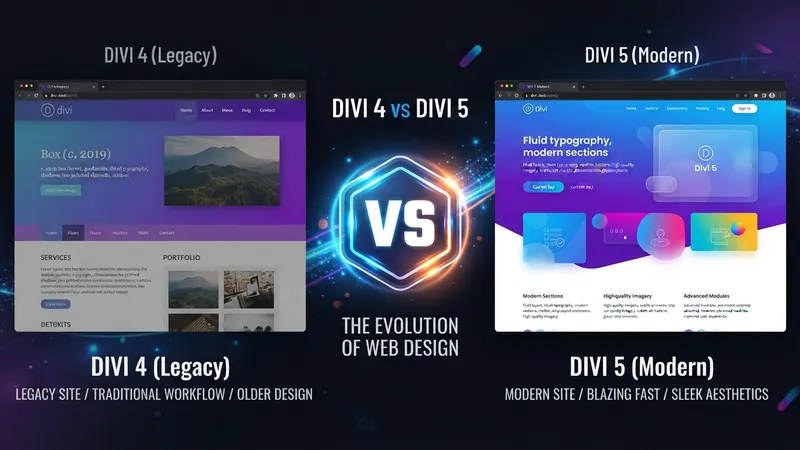
I've built production sites on both. Here's the itemised comparison — what changed, what got renamed, and which Divi 4 habits now produce worse results than doing nothing.
TL;DR: Divi 4 stored layouts as shortcodes; Divi 5 stores structured data. Divi 5 adds Design Variables, option group presets, Groups, Flexbox, CSS Grid, Loop Builder, Aspect Ratio and Workspaces. The habits to unlearn: typing hex codes into modules, saving Global Modules for styling, and writing CSS for things now built in.
Architecture
Divi 4 stored every module, row and section as a shortcode string in the database. The front end parsed and expanded all of it on each request. It worked for a decade and it was the source of every performance complaint.
Divi 5 stores layouts as structured data. The builder reads and writes it directly; the front end renders without the parsing step.
That's the whole story, and everything below is downstream of it. Variables, presets and the Loop Builder aren't features they forgot to add to Divi 4 — they're features that structured storage makes coherent.
Performance
| Metric | Divi 4 | Divi 5 |
|---|---|---|
| Builder load | 3–8 seconds | 1–3 seconds |
| Front-end DOM | Larger | Roughly 30% smaller |
| CSS output | All modules loaded | Dynamic — only what's used |
| JavaScript | Heavier framework | Modular |
Those figures are what I've measured across my own sites, not published benchmarks — treat them as the right order of magnitude rather than precise. The builder speed difference is the one you'll notice within thirty seconds. On a page with fifty modules, Divi 4's builder was something you waited for. Divi 5's isn't.
The front-end gain is real but it doesn't make Divi the lightest builder available — it makes it competitive. The Divi 5 speed checklist covers what still needs doing by hand.
Feature Comparison
| Capability | Divi 4 | Divi 5 |
|---|---|---|
| Design Variables | None — hex codes per module | Variable Manager: colours, fonts, spacing, numbers, gradients |
| Element presets | Yes, added during Divi 4 | Yes, plus Preset Manager |
| Option group presets | No | Yes — style one group, combine several |
| Groups | No | New nesting level between column and module |
| Flexbox controls | Custom CSS only | Native: Gap, Justify Content, Align Items, Wrapping, Display Order |
| CSS Grid | Custom CSS only | Visual grid editor with drag-resize and offsets |
| Loop Builder | Plugin or custom code | Native, with Query Types |
| Aspect Ratio / Object Fit | Custom CSS | Native image framing controls |
| Text fill / stroke | Photoshop | Native: Gradient, Image, Transparent, plus stroke |
| Variable fonts | No axis control | Axes exposed in the Design tab |
| Workspaces | No | Saved builder layouts + Command Center (Ctrl+K) |
| Find and Replace | No | Yes, across the page or site |
| Theme Builder | Yes | Yes, unchanged in concept |
Worth correcting a claim that circulates widely, including in the earlier version of this post: Divi 4 did have presets. Element presets arrived during the Divi 4 cycle. What's new in Divi 5 is the option group preset — a preset for just the border, or just the shadow, or just the typography — which is what makes them stackable. How presets stack and nest goes through the combinations.
Groups Are Underrated
The new nesting level gets almost no attention and it removed more of my custom CSS than anything else.
In Divi 4, if you wanted three modules to move, animate or crop as a unit, your options were a nested row or a wrapper div in custom code. Divi 5 gives you a Group: wrap the modules, then style, position, transform or overflow-clip the group itself.
The practical payoff shows up in things like contained hover zooms — set the Group's aspect ratio, hide its overflow, and scale the image inside on hover. In Divi 4 that was CSS. Now it's four settings.
What Stayed the Same
- The visual drag-and-drop concept and most module types
- Responsive editing controls
- Theme Builder — headers, footers, archives, 404, Woo templates
- The Divi Library
- Transform, Position, Scroll Effects, Sticky Position, hover states
- Licensing: around $89/year or $249 lifetime, unlimited sites
If you know Divi 4, you can build in Divi 5 within an hour. The learning curve isn't the interface — it's knowing which of your old techniques to stop using.
Divi 4 Habits to Unlearn
Typing hex codes into modules. Use variables. This is the single biggest change in how you should work, and it's covered in the global variables guide.
Duplicating modules to reorder on mobile. Use Display Order per breakpoint. One module, different position, no duplicate to keep in sync.
Custom CSS for equal-height columns. Flexbox handles it. Align Items on the row.
Custom CSS for cropping images to a consistent shape. Aspect Ratio plus Object Fit does it natively, per grid.
A plugin for dynamic post grids. Loop Builder is native. One less dependency to keep Divi-5-compatible.
My Take: The Divi Library Is Now the Wrong Tool for Most of What People Use It For
Here's my one strong opinion: if you're still saving Global Modules to keep things consistent, you're using a Divi 4 solution that actively fights Divi 5, and it's the most common migration mistake I see.
I've built over 100 Divi sites, and in Divi 4 the answer to "how do I keep every CTA identical?" was a Global Module. Save it to the Library, drop it in twelve places, edit once, all twelve update. It was the only mechanism available and it worked.
The problem is what it couples. A global module locks content and style together. Every instance has the same heading, the same body copy, the same button text. Which is correct for a footer CTA that genuinely never varies, and wrong for the twelve service-page CTAs that should share a look while saying twelve different things.
So in Divi 4 people did the obvious thing: made twelve non-global copies and manually kept the styling in sync. Then a colour changed and they edited twelve modules and missed two.
Divi 5 splits the problem properly. Presets carry style. Variables carry values. The Library carries content. Twelve service CTAs become twelve normal modules on one preset, referencing brand variables. Change the preset, all twelve restyle. Change the copy on one, the others don't care.
The migration mistake is bringing the Library habit across intact. I've opened Divi 5 sites with forty global modules where the client couldn't edit a single headline without breaking the other thirty-nine — and every one of those was somebody being conscientious with the wrong tool.
My rule after a migration: go through the Library and ask of each item, "is this here for the content or the styling?" If it's styling, rebuild it as a preset and delete the global module. That audit takes an afternoon on a mid-size site and it's the difference between a Divi 5 site and a Divi 4 site running on Divi 5.
Which Should You Use?
Divi 5 for every new project, any site where performance matters, anything content-heavy that benefits from Loop Builder, and any project where more than one person will edit it.
Stay on Divi 4 temporarily if a third-party Divi plugin you depend on has no Divi 5 release, you're mid-project against a deadline, or you have a heavily customised child theme nobody has reviewed.
Those are timing reasons, not reasons to stay. Divi 4 keeps getting support; it doesn't get the development. The upgrade guide has the step-by-step, including the plugin audit that prevents the one failure mode that actually bites.
Straight Answers
Main difference? Shortcode storage in Divi 4, structured data in Divi 5. Everything else follows.
Did Divi 4 have presets? Yes, element presets. Option group presets are the Divi 5 addition.
What's a Group? A nesting level between column and module, for styling several modules as one unit.
Should I still use Global Modules? Only for content that must be identical. Use presets for styling.
Is Divi 4 supported? Supported, yes. Developed, no.
What breaks in migration? Third-party module plugins and custom child theme code, not Divi core.
The Last Word
Divi 5 versus Divi 4 comes down to one architectural change with a long tail of consequences. The features are the visible part; the change in how you build is the valuable part.
Move your styling into variables and presets, let the Library go back to holding content, and delete the custom CSS that Flexbox, Grid and Aspect Ratio now cover. That's the migration that's actually worth doing — the version update is the easy half.
Divi 5 is included with an active licence, so the cost is your time. If you'd like the Library-to-presets audit done properly on an existing site, that's a satisfying afternoon.
Related Reading
- What Is Divi 5 and Why You Should Upgrade — the upgrade process and the plugin audit
- Divi 5: The 10 Questions Everyone Is Asking — the specific worries, answered short
- Divi 5 Speed Optimization Tips — what the rewrite doesn't do for you automatically