
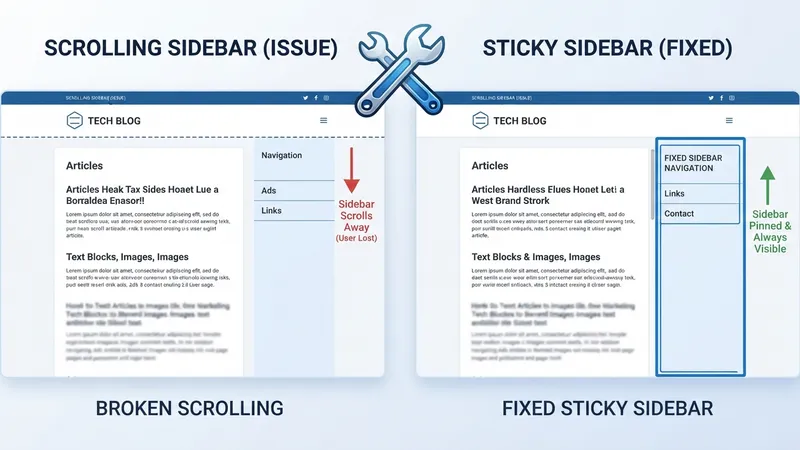
If your Divi sidebar refuses to stick while scrolling, the advice you'll find everywhere is to move the sidebar column above the main content. Sometimes that works. Usually it's a coin flip, because it isn't addressing the cause.
The cause is nearly always one of three things, and you can rule all three out in about two minutes.
TL;DR: Check for
overflow: hiddenon any ancestor element first — it killsposition: stickysilently. Then confirm the sidebar's parent is taller than the sidebar (no height difference means no travel). Then confirm a Sticky Top Offset exists. In Divi 5 the controls live in Advanced > Scroll Effects, and Align Items: Flex Start on the row will break it.
How Sticky Actually Behaves
position: sticky is a hybrid. The element sits in normal flow until the scroll position hits its offset threshold, then it behaves like a fixed element — but only inside its parent's box. It cannot leave. When the parent's bottom edge passes, the sticky element goes with it.
Two consequences follow from that, and they explain most failures:
It needs an offset. position: sticky with no top, bottom, left or right value does nothing at all. It's valid CSS that produces zero effect.
It needs somewhere to go. If the sidebar is 800px tall and its parent column is also 800px tall, the travel distance is zero. Sticky is technically working and visibly doing nothing.
Check 1: Overflow on an Ancestor
This is the one. If any ancestor between the sidebar and the document has overflow set to hidden, scroll or auto, that element becomes the scrolling context, and your sticky sidebar sticks to a container that never scrolls.
There is no error, no warning, no console message. Sticky just appears to be ignored.
Open DevTools, select the sidebar, and walk up the ancestor chain checking the computed overflow on each one. In Divi the usual suspects are the section, the row, #page-container, #et-main-area, and any child theme wrapper.
Divi adds overflow: hidden in more places than people expect — border radius on a section, certain background treatments, some Scroll Effects. It's rarely something you set deliberately.
The fix, once you find it:
.the-offending-ancestor {
  overflow: visible;
}
Confirm nothing was relying on that clipping first. Sometimes the overflow is doing real work and the sidebar needs to move up a level instead.
Check 2: Travel Distance
The sidebar needs a parent taller than itself.
In a standard two-column Divi row this happens automatically, because flex columns stretch to equal height — the content column is long, so the sidebar column stretches to match, and the sidebar gets hundreds of pixels of travel.
It breaks when:
- The content column is shorter than the sidebar. Nothing to travel through.
- The row's Align Items is set to anything other than Stretch.
- The sidebar column has a fixed height matching its content.
The Divi 5 version of this trap is worth stating plainly: Align Items: Flex Start on the row will kill your sticky sidebar. Columns stop stretching, the sidebar column collapses to its content height, travel distance goes to zero. It's a reasonable-looking setting that produces a bug three scrolls later. If you're working through Divi 5's responsive column controls, leave Align Items on Stretch for any row containing a sticky element.
Check 3: The Offset
In Divi 5: open the module, row or column, go to the Advanced tab, open Scroll Effects.
| Setting | What it does |
|---|---|
| Sticky Position | Do Not Stick / Stick to Top / Stick to Bottom / Stick to Top and Bottom |
| Sticky Top Offset | Gap between the element and the viewport top when stuck |
| Sticky Bottom Offset | Same for the bottom edge |
| Offset Surrounding Sticky Elements | Accounts for a sticky header so they don't overlap |
| Bottom Limit | None / Body / Section / Row / Column — where sticky stops |
| Transition Default and Sticky Styles | Animates between normal and stuck states |
Set Sticky Position to Stick to Top and give Sticky Top Offset a real value. If you have a sticky header, turn on Offset Surrounding Sticky Elements or the two will overlap.
Bottom Limit is the setting that answers "why does it stop halfway down the page?" Set it to Body if you want the sidebar travelling the full page rather than stopping at its row.
Check 4: Transforms and Filters
An ancestor with transform, filter, perspective, will-change or contain creates a new containing block. Sticky then measures against that element instead of the scroll container, and the behaviour goes strange rather than absent — it sticks, but to the wrong thing.
Divi's Transform controls and hover animations both produce this. If the sidebar sticks but at an odd position, look for a transform on a parent.
Check 5: Cache
Divi's Static CSS File Generation caches the compiled stylesheet. Change the setting, clear the Divi cache (Divi > Theme Options > Builder > Advanced > Static CSS File Generation > Clear), then your page cache, then hard-refresh.
I've watched people debug a working sidebar for twenty minutes. If you're doing a broader Divi 5 performance pass, get the cache-clearing sequence into muscle memory — it saves you from chasing ghosts on every layout fix.
What About Reordering the Columns?
The standard advice — put the sidebar column before the content column — does work for some people. It's worth understanding why, because the reason isn't what's usually claimed.
position: sticky doesn't care about DOM order relative to its siblings. A sticky element in the second flex column behaves identically to one in the first. What reordering actually does is make you rebuild the row, which drops whatever column-level setting was breaking things — a stray height, an overflow, an align-items value.
So it's a reset, not a fix. It works often enough to have become folklore, and it leaves you with no idea what was wrong.
If reordering genuinely improves your layout, do it. If you're doing it as a fix, run the five checks instead. You'll know the answer, and the next sidebar you build won't have the same problem.
My Take: Sticky Sidebars Are Usually the Wrong Answer
Here's my one strong opinion: on a blog, a sticky sidebar is worth roughly nothing, and I've stopped building them unless the client insists.
I've built over 100 Divi sites and I've watched the analytics on this. A sticky sidebar following the reader down a 2,000-word post gets clicked at a rate that rounds to zero. It consumes 25–30% of the horizontal viewport permanently. On tablet it either collapses under the content — where it's identical to a non-sticky sidebar — or it squeezes the reading column to something unpleasant.
The two exceptions, both real: a sticky table of contents on genuinely long documentation, where it functions as navigation rather than decoration, and a sticky sidebar CTA on a pricing or product page, where the visitor already has commercial intent and the button is the point.
Everything else — recent posts, categories, an author box, a newsletter form — a reader who wants that will scroll for it. Making it follow them doesn't create the intent, it just narrows the page.
So before you spend twenty minutes on overflow ancestors: check whether anyone clicks it. If the answer is no, the fastest fix is deleting the sticky setting and giving the content the width back.
Straight Answers
Why is my Divi sticky sidebar not working? Overflow hidden on an ancestor, no travel distance, or no offset value. In that order.
Where is Sticky Position in Divi 5? Advanced tab → Scroll Effects → Sticky Position.
Does overflow hidden break sticky? Yes, silently and completely. No console error.
Must the sidebar come first? No. Reordering works by rebuilding the row, not by fixing sticky.
Why does it stop halfway? Sticky can't leave its parent. Set Bottom Limit to Body.
Does Divi 5 flexbox break it? Align Items: Flex Start does, by removing column stretch. Leave it on Stretch.
Quick Checklist
- No ancestor with
overflow: hidden,scrollorauto - Parent container taller than the sidebar
- Sticky Position set to Stick to Top
- Sticky Top Offset has a value
- Bottom Limit set appropriately (Body for full-page travel)
- Row Align Items left on Stretch
- No
transformorfilteron an ancestor - Divi static CSS cache cleared, then page cache, then hard refresh
The Last Word
Sticky positioning has three requirements: a scrolling context nothing has clipped, room to travel, and an offset. Every failure is one of those three, and the five checks above find which one in under two minutes.
Then ask the harder question — whether the sidebar deserves a third of the viewport in the first place.
If you'd rather not audit an ancestor chain in DevTools on a Tuesday, send me the URL and I'll tell you which element is doing it — including when the honest answer is to remove the sidebar instead.
Related Reading
- How to Hide a Section in Divi 5 — another layout problem with a one-setting answer
- Divi 5 Flexbox Best Practices — why Align Items causes more bugs than any other flex setting
- Divi 5 Speed Optimization Tips — including the cache-clearing order that saves debugging time